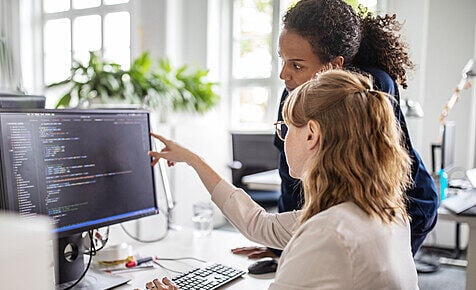
The question may come to your mind, is it possible to learn computer at home! To be honest, you can learn computer at home. Now, learning computer means a lot.
Just the basic tasks of running a computer include learning a computer, but also managing various software or programming is a part of learning a computer.
Now, you have to decide first, what you want to learn. Generally, every person should have basic knowledge of computer. In today's world of technology, if you want to keep pace with the world, you must learn the basics of computers.
And, if you say, "No, brother, I will stay in the Himalayas as a monk for the rest of my life." So, that's different. Be it computer basics or programming, you can learn everything at home.
Computer science is going to be read online nowadays. Anyway, you can understand that when you read the rest of the text.
How to learn computer at home?
You must first determine what you really want to learn. If you want to know the basics of computer, then I would say you have to deal with the computer first.
For example, after running the computer to run various software, settings and other issues to deal with. Just as you can't learn to swim without getting into the water, you can't learn to use a computer without running a computer.
You will find the basics of computer on YouTube and Google. My advice would be, you learn your basics from here. If you say, "No, brother, I can't do anything alone, I need help." In that case you can follow my formulas below.
Now let's talk about computer skills. There are many computer related skills which include jobs from which you can earn the most.
Several computer skills:
- Microsoft Office
- Graphics Design (Get acquainted with 5 websites for learning graphic design for free)
- Web design
- Programming - (Learn 10 Ways to Learn Free Programming.)
The funny thing is, you can do the above skills online from home. Online courses have become so popular that famous universities like Harvard and Cambridge offer online courses.
So, if you think you can't learn anything online, you're still in the dark.
Prerequisites for learning to work online:
- Set goals.
- Think of the online course as the most angry sir course in your school. Attend regular courses.
- Choose a specific time to learn the job. Do not do any other work during this time. Just give time behind learning the job.
- Keep gadgets or things away that distract. It could be a mobile phone or your girlfriend or boyfriend.
- After learning to work, practice it again.
Learning computer from Online at home:
1. Learn computer from YouTube
You can say, hey brother, I don't get cool just by watching dramas and movies on YouTube, when will I learn to work.
Basically, this is why I put some preconditions above. You need to follow the above mentioned conditions to learn to work on YouTube.
Many people publish courses in the form of lists on YouTube. If you want to learn from YouTube, you can follow the playlists.
Also, you can create a syllabus if you want. Then, he can learn computer by video search accordingly.
Let me explain a little bit, let's say you want to learn Microsoft Office. In that case, you need to understand what you need to learn about Microsoft Office.
For this, you need to have a syllabus. You can get Microsoft Office Online Training Syllabus by doing a Google search. And then you can learn computer step by step by searching every subject.
The YouTube channels from which you can learn computer-
2. Take the course online
According to Forbes, the market value of e-learning by 2025 will be around 325 billion. Hopefully, you understand how popular online courses are. If you are thinking of learning computer at home, then your thinking is not wrong but 100% correct.
There are numerous computer courses available online in foreign languages. Happily, there are now many platforms for doing online courses in Bangladesh.
On several of these platforms you can take computer courses for free. Again there are some where you need to take a premium subscription to do the course. In other words, you have to register the membership with money.
Things to keep in mind when taking an online course:
- How standard is the teacher where you want to do the course.
- What is the speed of their website and how trustworthy is the website.
- Whether there is a facility to download videos.
- Course access Lifetime or up to a specified time.
- Whether to give certificate.
3. Join the live class
Many people now take live computer classes online. Some of them teach for free, while others teach for free. The advantage of having a live class is that you get the opportunity to get direct answers by asking questions directly. Also, the field in particular will give you the feeling of taking classes in practice.
4. Keep a home tutor
If you want to do the course at home, you can have any home tutor in your home. That is, you can learn computer at home from someone who is proficient in computer specific subject or experienced in computer subject. In that case, you must spend money.
But, it is very beneficial for you, if you are not interested in taking online classes. It's basically a traditional way of learning computers at home.
5. Learn computer through books or e-books
Numerous books are available online and offline. And computers can be learned through these books or e-books. For those who are interested in reading books and understand everything easily through books, this medium is quite useful.
Things to keep in mind when buying a computer learning book or e-book:
- Whether the book is written in the language you are experienced in. Suppose you are experienced in English, then if the book is in English, it will be useful for you to understand.
- If you do not understand English very well, then of course Bangla language books will be useful for you.
- Make sure you look at all the details in the book. Because, without explanation, you will have difficulty understanding many things.
- Make sure that the language of writing is easy to understand.
- Whether each step of the book is given in the form of screenshots or pictures. Because, it is not possible to explain a lot of things by computer. Then the picture is very useful.
Finally
This was the way to learn computer at home today. Hopefully, there will be no more doubts about learning computer through writing. And if you have any doubts or questions, you can definitely comment.
Comments
Post a Comment