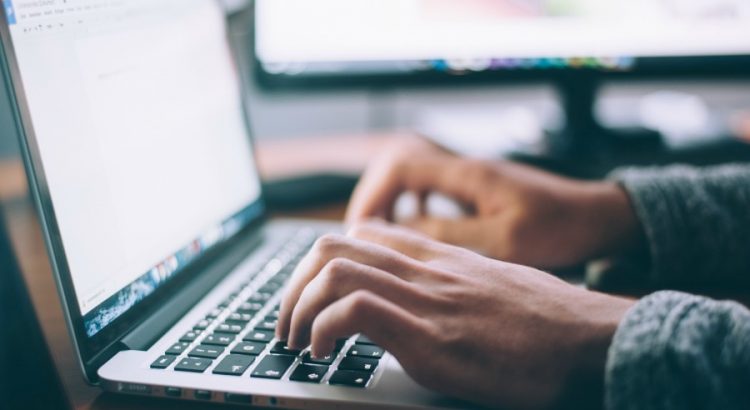
Many people are now using laptops instead of desktops. Although the desktop is suitable for professional work. However, those who use computers as a hobby should buy a laptop. Laptops are generally of two types- netbook, notebook.
People who do light work or work online usually use netbooks. And many people buy notebooks for relatively heavy work and high graphics gaming. You don't just have to buy and use a laptop. It should be taken care of regularly along with the use. Here are some tips to help you keep your laptop in good service for a long time. This will keep the performance of the laptop good.
If you use a laptop, it will be definitely useful for you.
26 Tips for Laptop Users:
- Even if you don't have to run the laptop with the battery, you have to run the battery from time to time every 2/3 weeks, otherwise the battery life will be reduced.
- Decrease the screen brightness when running the laptop on battery.
- Occasionally clean the battery connector line.
- Use good quality antivirus.
- Minimize windows other than necessary.
- Play movie songs from hard disk, because CD / DVD RAM consumes a lot more power.
- Keep the air vent open and keep the laptop ventilated easily, not in direct sunlight.
- Use the hibernate option instead of shutting down.
- Turn off Bluetooth and Wi-Fi connections.
- Do not do any maintenance work on hard disk and CPU.
- Close unnecessary programs.
- Occasionally defragment Ram Cleaner, Ram Optimi “er, Mem Monster, Free Up Ram, Super Ram to clean the memory.
- Uninstall programs that are not needed at this time.
- Many of us do not do the job of cleaning the dirt on the laptop. And of course the right cleaning products should be used.
- Using external keyboard and mouse instead of laptop keyboard and mouse. This will keep the laptop keyboard and mouse pad good for a long time.
- Not playing games with more graphics on the laptop, this makes the laptop very hot which is harmful for other devices inside.
- Laptops should use software as small as possible.
- Laptops should be run for as short a time as possible.
- Laptops should be kept away from direct heat.
- Laptops should not be used for long periods of time. A few days ago, a group of researchers conducted a survey among laptop users, who have been using laptops for a long time on their laps, there is a risk of loss of fertility.
- Laptops have some built-in devices such as: Bluetooth, Wi-Fi, Infrared, etc. Turn off these devices when using a laptop unless needed. This will reduce the battery power consumption.
- Use specially made bags for laptops to carry laptops. These bags can protect the laptop from external injuries. You can also use a shoulder bag to carry a laptop on the go. In addition to the convenience of carrying in this case, another advantage is that it cannot be understood from the outside that you are carrying a laptop. So you can escape from the sight of the snatcher.
- Use an external keyboard and mouse to play games or type on a laptop. Because, in these cases, the life of the laptop's touch pad and keyboard can be reduced by using more.
- Run the laptop using direct electricity in the house or outside where there is access to electricity. Laptop batteries have a certain lifespan. After charging a certain number of times, this battery becomes unusable.
- Clean the air vent of the laptop regularly. This is because when the air vent is closed, a lot of heat will be generated, which is harmful for laptops. Keep laptops away from food and drink. Otherwise, water may accidentally fall on the laptop and get damaged.
- Laptops are not as good as desktops. The laptop should be turned off for some time after several hours of use. Adjust the screen light to your eyes for the convenience of your eyes. Remember, don’t put on a high color that is beyond the tolerance of your eyes. If necessary, you can do this automatically with many popular software.
Comments
Post a Comment